The App Landscape by Booth Format
- 360 platforms need a video first app: capture with speed ramps, music, overlays and instant delivery. On our 360 machines we configure Snap360App, free to download and test, on iOS and Android, compatible with GoPro and 360 platform hardware. Full criteria in the 360 app guide.
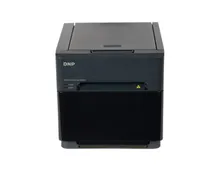
- Print booths (mirror, vintage, vending) need capture software with templates, layouts and dye sublimation printer support. In the Snap360 ecosystem that role is covered by SnapPhoto, sharing one workflow across a mixed fleet.
- AI experiences run on specialised systems like Pictiax, which generates caricatures live at events. See AI photo booths.
Five Rules for Choosing
- Test free before paying. Download, run a real session on your own hardware, print or share the output. Ten minutes of testing beats any review.
- Stay cross platform when possible. Apps that run on both iOS and Android keep device costs flexible as your fleet grows.
- Judge sharing speed hardest. The guest must leave with the photo or clip on their phone. Anything slower kills word of mouth.
- Check printer support early. If your booth prints, confirm DNP compatibility before anything else.
- Think cost per event. Compare subscriptions across a season of bookings, not sticker prices.
App or Software? The Words Mean the Same Thing Now
Search results still split between photo booth app and photo booth software, and the split is historical. A decade ago the booth hid a laptop running a Windows photo booth program; now the same job is done by an app on the device in the head of the machine. Anyone comparing photo booth software in 2026 is comparing apps, whether they type photobooth app, photo booth application or photo booth software app into the search box.
The other names people use are features, not products. A photo booth camera app is the capture side of the same app, a photo booth strip app is a print booth app with a 2x6 layout, a photo booth editing app is the template designer, and a picture booth app or photo booth picture app is a photo booth app in a US accent. One app does all of it on a booth; the separate consumer apps that add a strip frame to a selfie are a different category and not what runs an event.
One remnant of the old sense is worth keeping: template and layout design is often still done on a desktop tool, then synced to the booth. If you sell print packages with a designed strip per event, check that the app you pick has a comfortable way to build those layouts, not just a mobile editor.
The Best Photo Booth App for Android, iPad and iPhone
Device support is a budget decision disguised as a technical one. An iOS only app means every booth in your fleet needs an iPhone or iPad, spare included. A photo booth app for Android lets you kit out the second and third machine for noticeably less, and lets a staff member use a device they already carry. The best photo booth app for Android is therefore the one that is on Google Play, renders on a mid range phone and talks to your printer; the store listing tells you the first, only a test tells you the other two.
An iPad photo booth for business runs the other way round: the tablet is the booth (the photo booth software for iPad page compares seven apps for it). A camera and screen in one, on a stand facing a backdrop, with the app doing capture, templates and sharing. It is the cheapest photo booth for a business to start with, because the iPad is the machine, and an iPad photo booth business needs a photo booth app for business use on it with three things a consumer app lacks: a locked kiosk mode so guests cannot leave the app, per event templates, and DNP printing.
Before buying either, confirm three things on your exact model: the camera or printer connection is supported, the device has room for a full night of files, and the app is distributed through the official store so updates arrive on their own. Our 360 platforms run Snap360App, which is on both stores, free to download and free to test.
Video Booth Apps: When the Output Is a Clip
A video booth app is judged on different things from a print app. Nobody holds the result in their hand; it goes straight to a phone and then to a story, so what matters is the automatic edit: the speed ramp, the music, the branded intro, the vertical export, and the seconds between the guest stepping off and the file landing.
In practice, most searches for a video booth app end at a 360 platform, because that is the format built around the clip. The full criteria, including how to test slow motion properly, live in the 360 photo booth app guide.
Free Photo Booth Apps: What You Can Test Without Paying
Every app worth considering lets you download it and run real sessions for free. A free photo booth app is the trial layer of a professional one, so the best free photo booth software is the one whose paid tier you would actually buy, and the same goes for the best free photo booth app for iPad or Android. Searches for a free photobooth app, photobooth app free, a photo booth app for iPad free of charge or a photo booth program free to install all land on that same trial tier. Use the free photo booth download properly: mount your own camera, print or share a real result, and time the whole guest journey with a stopwatch. Feature lists never reveal the two things that hurt on a live night, which are latency and the number of taps an operator has to make between guests.
Try Snap360App Free
Free to download and test on iOS and Android, and the app we configure on the 360 platforms we build. Install it, run a real session on your own hardware and judge it on your own footage instead of a demo reel.
Rated 4.9 out of 5 from 8,657 reviews, as published by Snap360.
Skip the Research Entirely
Every booth we sell ships with its app installed, configured and tested for the format you bought. See the full software stack.