Photo Booth Software
The software is the product: it decides what guests experience, what they share and how fast you run events. Here is the stack we configure on the booths we build.
360 Video
Snap360App
The 360 video app we configure on our spinning platforms: slow motion capture, branded overlays, music and instant sharing, on iOS and Android, with GoPro and 360 hardware compatibility. Free to download and test.
Running a print or classic booth instead? See what a photo booth app has to do.
Photo Capture
SnapPhoto
Classic photo booth capture inside the Snap360 ecosystem: templates, layouts and print ready output for mirror, vintage and vending booths, sharing one workflow across your whole fleet.
Explore the Ecosystem →AI Experiences
Pictiax
AI caricatures drawn live at events: guests pose, the system generates a caricature in front of them. A different kind of wow for brand activations and premium events.
What Photo Booth Software Has to Do
Software for a photo booth has four jobs and the rest is decoration: drive the camera, build the layout, put the file in the guest's hand and leave a gallery the client can share on Monday. Event photo booth software that does the first three and skips the fourth costs you the repeat booking. Digital photo booth software, the kind that never prints, now covers most bookings under a certain budget, while interactive photo booth software (guest books, voting screens, small games on the same screen) is what agencies ask for when the job is to keep people at a stand.
Which Device It Runs On
There is a generation split here worth understanding before you pay for anything. Photo booth software for Windows grew up around a tethered DSLR and a laptop hidden in the plinth, and photo booth software for PC of that kind still runs plenty of print booths well. Photo booth software for Mac is the same idea with fewer titles to choose from, and photo booth software for Linux barely exists commercially, so a search that lands there is really a search for open source photo booth software: free, surprisingly capable, and entirely your problem at eleven at night in a marquee. That whole family is what people mean by PC photo booth software or photo booth computer software, and it is the generation the tablet replaced. It is still the right generation for a mirror or a vintage cabinet with a PC inside: the mirror photo booth software for Windows page compares the options, and the photo booth software for iPad page covers the tablet side.
iPad photo booth software turned the machine into a screen a guest touches, which is why photo booth software for iPad outsearches every other platform, and Android photo booth software caught up as soon as the phone cameras did. Snap360App and SnapPhoto are photo booth software for Android and for iOS, so photo booth software for a tablet is one licence whichever you own: photo booth software for an Android tablet and photo booth iPad software are the same app, free to download and test on your own machine before you pay. Touch screen photo booth software is the baseline rather than a feature now, and photo booth software touch screen support is the first thing to try on the actual glass: if a guest cannot start the session by touching the screen they will ask a member of staff, and staff time is your margin.
Cameras, Printers and What Talks to What
DSLR photo booth software, or photo booth DSLR software if you read it off a spec sheet, is its own category because tethering is where booths break. Photo booth software for Canon has the widest support of any make, which is why so many tethered booths ship with an EOS body; Sony photo booth software depends on the generation of the Alpha you own, photo booth software for Nikon is thinner again, and GoPro photo booth software exists mostly for 360 rigs where the camera is on a moving arm. Webcam photo booth software sits at the other end: photo booth software for a webcam is fine on a digital only setup and visibly worse the moment the photo is printed at 10x15. Whatever you choose, read the app's supported bodies list before you buy the camera, not after: the photo booth camera guide goes through what a booth body actually needs.
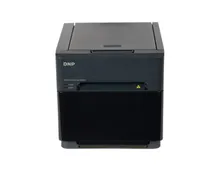
If you print, photo booth printer software is not a separate purchase but a feature you have to check: the app has to see the DNP as a printer, hold a queue when guests arrive in a wave, and tell you how many prints are left on the roll. Weak photo booth printing software is the reason a queue stops moving, and photo booth print software that cannot recover a failed job makes you reprint by hand. Buying the photo booth software and printer together avoids that argument entirely, which is what happens on our machines: the app, the camera and the DNP printer are configured and run end to end before the booth ships.
Overlays, Green Screen and Sharing
Green screen photo booth software is the oldest paid feature in this market and still the one clients recognise. What separates good photo booth green screen software from bad is the edge: hair and dark clothing are where a weak key falls apart, and any app with photo booth software with green screen support should let you test the key on your own backdrop before an event. Branded photo booth software matters more in practice, because a template with the couple's names or the campaign logo is the thing the client is actually paying for, and photo booth sharing software decides whether it travels: QR code, link, email, gallery. Social media photo booth software that posts on the guest's behalf is a promise worth checking against the platforms' current rules, since those change more often than the apps do.
Two formats have their own requirements. Mirror photo booth software has to drive a screen behind glass with animations and touch points designed for a reflection, which is why magic mirror photo booth software, sold as a magic mirror photo booth app on tablets, looks nothing like a normal tablet layout, and the best mirror photo booth software is judged on that interface rather than on features. If you are comparing photo booth mirror software, run it on the actual machine: what reads clearly on a desk becomes invisible behind two way glass. Virtual photo booth software is the opposite case, no machine at all, guests using their own phones from a link, which is what virtual booths software has meant since remote events made it a category. Photo booth kiosk software is the third: unattended, payment aware, built to run all day without anyone standing next to it, which is the vending unit case.
Free, Trial and What It Costs
Free photo booth software is a real option, not a trap, as long as you know which kind you have. Snap360App and SnapPhoto are free to download and run, so photo booth software free of charge covers a first event on your own hardware and you pay when volume or branding needs it. That is a different thing from a photo booth software trial that expires in fourteen days, and different again from cheap photo booth software that turns out to charge per event. Free software for a photo booth is worth testing precisely because the test is honest: a real capture, a real print, a real share, on your machine.
Above the free tier the pricing question is unlimited events photo booth software versus per event billing, and the answer follows your calendar rather than the price list: a full season makes a flat licence cheaper, ten bookings a year does not. Photo booth software with digital add-ons (galleries, AI filters, guest data capture) is normally where the upsell sits, and it is also what turns a print booth into commercial photo booth software you can charge a premium for. There is rarely photo booth software for sale as a one off licence any more, so budget it as a running cost per event and compare it that way.
Which leaves the question everyone starts with. There is no single best photo booth software, and any list of top photo booth software is really a list of what fits a particular booth: the best photo booth software for iPad is chosen on the touch interface, the best iPad photo booth software for a mirror is chosen on how it behaves behind glass, and the best photo booth software for DSLR is chosen on tethering stability, which is also why the best DSLR photo booth software is normally the one with the longest supported camera list. Professional photo booth software, pro photo booth software and photo booth software for business all describe the same threshold: it holds up unattended for eight hours. Operators running photo booth software for events in the USA and in Europe hit exactly the same wall, and it is never the feature list. The Snap360 apps are what we mean when we say photo booth pro on our own machines, because they are the ones we configure and support.
How to Choose Your Software Stack
Match the App to the Booth
360 platforms need a video first app with overlays and instant sharing. Print booths need capture software with templates and DNP output. Running one app per format keeps events simple for staff.
Test Free Before You Commit
Serious event apps let you download and run a real test for free. Validate capture, sharing and printing on your own hardware before any subscription decision.
Think in Total Cost per Event
Compare software as cost per event across a season, not sticker price: subscriptions, media, and the time each app saves you on site all count.
Buy Booth and Software Together
Every booth we sell ships with its software configured and tested, so your first event runs on a proven setup instead of an experiment.
Frequently Asked Questions
What is photo booth software?
The application that turns a camera, a screen and a printer into a bookable service. It fires the camera, applies the template and overlays, prints or shares the result and keeps a gallery of the event. Without it you have hardware on a stand; with it you have something a client pays for by the hour.
What is the best photo booth software?
There is no single answer, because the best software for a photo booth is decided by the booth. For an iPad setup it is the one with the cleanest touch interface, for a tethered DSLR it is the one with the longest supported camera list, and for a mirror it is the one designed to be read behind glass. Test the shortlist free on your own machine and let a real print decide.
What does photo booth software actually do?
It runs the guest experience end to end: capture (photo, video or 360), branded overlays and templates, filters, instant sharing by QR or link, online galleries and print output. Good software is the difference between a camera on a stand and a bookable product.
Do I need different software for a 360 booth and a photo booth?
360 video and classic photo capture are different workflows, and most operators run a dedicated app for each. See our 360 photo booth app guide for the video side.
Can I try photo booth software for free?
Yes. The apps we work with, such as Snap360App, let you download and test for free before upgrading, so you can validate the workflow on your own hardware first.
What hardware does photo booth software run on?
Modern event apps run on iPhone, iPad and Android devices, connect to a GoPro on 360 setups and to a Canon by cable for photos, and print to DNP. Since 2026 the same account also covers Windows: Snap360’s photo booth software for Windows 10 and 11 installs on the PC already inside a mirror or vintage cabinet, with Canon and DNP by cable and the whole event offline. The mirror photo booth software page compares the Windows options.
Can I create a custom print template with a client logo?
Yes, and it is one of the things clients actually pay for. Event apps let you build the layout, drop in the couple names or the brand assets and save a template per event, so the print and the digital copy both come out branded.
How much does photo booth software cost?
Pricing models vary: some apps have a free tier, some charge a subscription per device, and AI experiences usually work on credits per image. Start with a free version, run a real event on your own hardware, then pay for the plan that matches your volume. Our 360 app guide goes through the models.
Is photo booth booking software the same as capture software?
No, and mixing the two up costs you a Saturday. Capture software runs the guest experience on the booth: camera, template, print, share. Photo booth booking software is the office side, the calendar, the quote, the contract and the deposit, so two clients cannot hold the same date. Most operators start with a shared calendar and a template invoice, and only pay for booking software when the diary stops fitting in one head.
Can guests share their photos to social media straight from the booth?
Yes, normally by QR code, link, email or an online gallery the guest opens on their own phone. Sharing depends on connectivity at the venue, so plan a hotspot if the signal is poor and keep capture running while the sends queue.
Talk to a Photo Booth Specialist
Tell us about your project and we will recommend the right booth, printer and software setup, with transparent pricing, all prices plus VAT.
Get a Free QuoteBeyond screens, the newest attraction in this market is the sketch bot: a robotic arm that draws a guest with a real pen in under a minute. The other robot clients ask for by name is the glambot, the camera arm behind the red carpet slow motion clip, and our guide explains what it really involves before you quote one.