Darkroom Booth vs Snap360App
Darkroom photo booth software is a Windows product built around a tethered camera and a dye sublimation printer. Snap360App is a phone app built around a spinning arm. They overlap less than the search results suggest, and the machine already in the van decides which of the two you need.
Darkroom Booth vs Snap360App, Side by Side
Everything below comes from the two publishers, from their own sites and their store listings, checked in August 2026. Where a figure is not published we have left the cell out rather than guess it.
| Snap360App | Darkroom Booth | |
|---|---|---|
| Platform | iPhone and iPad (iOS 15.6 or later) and Android | Windows PC, all in one or Windows tablet. Booth for iPad is a separate product |
| Licence | Free download, paid plans by week, month, quarter or year | $295 one off for Windows, first year of updates included. Booth for iPad is a subscription |
| Free use | Free tier, output carries a watermark | Free trial download, plus a ten day full licence at $45 |
| Ongoing cost | The plan you choose | $95 a year for maintenance after the first year |
| Capture | Phone or tablet camera, GoPro 9 and later | Tethered DSLR and mirrorless by cable or wireless, webcams, GoPro |
| Printing | Not a print workflow. Delivery is QR, AirDrop, email and messaging | Print layouts and templates are core to the product |
| Output | 360 video with music, effects and custom frames, AI frame generation | Photos, video, slow motion, GIF, boomerang, light painting, VR 180 and 360 images |
| 360 platform | Purpose built for it, with motion detection auto recording | 360 functionality inside a wider feature set |
| Kiosk hardware | Bluetooth remote | Coin acceptors, bill acceptors, arcade buttons and Phidget support |
Is Darkroom Booth Worth It, and Where Snap360App Wins
Print and Tethered Cameras
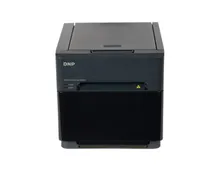
This is Darkroom Booth territory and it is not close. Tethering a DSLR or a mirrorless body, driving a dye sublimation printer, building multi pose templates and wiring a coin or bill acceptor into a self service kiosk are all things it does and Snap360App does not attempt. If what you sell is a classic print booth or a vending booth, the Windows route buys you capabilities a phone app has no answer to.
The Machine It Sits On
A 360 platform spins an arm with a phone clamped to the end of it. Adding a Windows machine to that is adding a laptop, a power lead and a wireless link to a setup whose whole appeal is that it fits in the boot of a car. Snap360App runs on the phone that is already on the arm, records offline and hands the guest a QR code, which is the workflow the format was designed around.
How You Pay
Darkroom Booth for Windows is a one off purchase, which some operators strongly prefer: pay once, own it, budget $95 a year if you want to stay current. Snap360App is a plan, which suits a business that would rather not put money up front. Neither model is better in the abstract. What matters is that a plan you never open is not free, and a perpetual licence on a machine you do not own is not useful.
Android
Darkroom software for a photo booth is published for Windows and for iPad, and there is no Android edition. Snap360App is on both the App Store and Google Play, which matters if your spare device or your second operator runs Android and you would rather not buy an iPad to cover a booking.
The Darkroom Alternative We Fit, and Why
If your business is a print booth on a Windows machine with a tethered camera, buy Darkroom Booth. It is a mature product with a print pipeline and kiosk hardware support that a phone app is not going to replicate, and the one off licence is a real argument.
If the machine is a 360 platform, we fit Snap360App and we will tell you why in plain terms. It was written for spinning arms rather than extended to cover them, it runs on the single phone that is already on the machine, and on the platforms we build it arrives configured with your logo, your frame and your sharing screen, included with the booth instead of being a subscription you set up yourself the week of your first event.
Plenty of operators run both, one per format, which is the honest answer to who makes the best 360 booth software: the app written for the arm, next to the Windows suite written for the print pipeline. If you are choosing a 360 machine first and the software second, start with our 360 photo booth page or the full booths for sale range.
Frequently Asked Questions
Darkroom Booth vs Snap360App: which one for a 360 platform?
Snap360App, on the practical grounds rather than the feature list. Darkroom Booth photo booth software runs on a Windows machine, so putting it behind a spinning arm means carrying a laptop, a power lead and a wireless link for a format whose appeal is that it fits in the boot of a car. Snap360App runs on the phone already clamped to the arm, records offline and hands over a QR code.
Is Darkroom 3 the same product, and where is the tutorial?
Darkroom Software has shipped the Windows product through numbered versions, so searches for Darkroom 3 photo booth software point at the same Windows line sold today at $295. For a Darkroom photo booth software tutorial, go to Darkroom Software: they publish their own manuals and training videos, and third party walkthroughs date quickly against the current build.
Does Darkroom Booth run a 360 photo booth?
Darkroom Software lists 360 functionality inside Booth, so it can produce 360 and VR 180 images. What it is built around, though, is a Windows machine with a tethered camera and a printer. A 360 platform is a spinning arm holding a phone, which is why operators of those machines usually reach for a phone app instead.
How much does Darkroom Booth cost?
Darkroom Software publishes $295 for the full Windows version as a one off purchase with the first year of updates included, $95 for each additional year of maintenance, and $45 for a ten day licence. Booth for iPad is a separate product sold as a subscription. Check their pricing page for the current figures before you buy.
Is Snap360App free?
It is free to download on the App Store and Google Play and free to use with a watermark on the output. Paid plans remove the watermark and unlock the branding, storage and sharing features. On the booths we build the plan is part of the machine, so there is no separate app bill to open.
Can I use one app for a print booth and a 360 booth?
In practice most operators do not. A print booth wants a tethered camera, a template and a dye sublimation printer. A 360 booth wants a phone on a spinning arm and a QR code. Our software overview sets out which stack we install on each format.
Which software ships with your 360 platforms?
Snap360App, installed and configured on the device before the machine leaves us, with your logo, your frame and your sharing screen already loaded. The criteria we judge 360 apps against are in our 360 app guide.
Talk to a Photo Booth Specialist
Tell us about your project and we will recommend the right booth, printer and software setup, with transparent pricing, all prices plus VAT.
Get a Free Quote