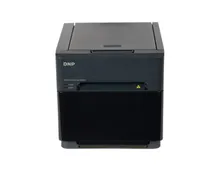
dslrBooth vs Snap360App
dslrBooth is a full booth suite that started on Windows with a camera tethered to it, and today the vendor publishes it as LumaBooth. Snap360App does one format and does it from a phone on the arm. dslrBooth vs Snap360App comes down to whether you are handing out paper or handing out a spinning clip.
dslrBooth vs Snap360App, Point by Point
Everything below is taken from what each vendor publishes on its own site and store listing. Where a vendor does not state something, the row says so rather than guess. Figures were checked in August 2026 and both companies change their pricing.
| What you are comparing | Snap360App | dslrBooth (LumaBooth) |
|---|---|---|
| Platforms | iOS and iPadOS, and Android. The vendor states it does not run on computers. | Windows PC, iPad, iPhone and Mac, and Android. |
| What it is built around | 360 platforms. The site names 360, aerial 360, iPad booths and Glambot as the hardware it drives. | A general booth suite: photos, video, GIF, slow motion, 360, boomerang, green screen and prints. |
| 360 capture | The whole product. Time ramping, automatic start on movement, remote control, offline recording. | A published 360 mode at 120 or 240 fps with speed ramps, for GoPro 5 to 11, DSLR and mirrorless, iPhone and iPad. |
| External camera | GoPro, with automatic start on each rotation. No DSLR support documented. | Canon, Nikon, Sony, GoPro and webcam on Windows, with a published model list. Built in cameras only on Android. |
| Printing | Not documented. The output is video. | Print template editor, 4x6 and 2x6 strips, AirPrint, and DNP, Citizen and HiTi over USB on Apple. |
| Free version | Free tier with the full workflow and a watermark on the output. | Free trial with no time limit, no card required, and a permanent watermark. The vendor states it is not meant for events. |
| Published price | Pro from €24.99 per month or €239.99 per year on the vendor site. Diamond Pro above that. | Windows 17 USD per month billed annually or 49.99 USD monthly. Apple and Android 18 USD per month billed annually. |
| Devices per plan | One device on Pro. Several devices require the Diamond Pro plan. | The first two devices are included with a subscription. |
| Sharing | QR, AirDrop, WhatsApp, email, social and Bluetooth, with an online and an offline gallery. | Email, SMS, QR, Instagram, WhatsApp and AirDrop, plus cloud galleries and a separate sharing station app. |
| Working with no signal | Records offline, and the offline gallery lets guests take clips during the event. | Offline QR sharing is published for when there is no internet at the venue. |
Is dslrBooth Worth It, and for Which Booth
These are not the same kind of product, and pretending otherwise would make this page useless. dslrBooth photo booth software grew up on a Windows machine with a camera cabled to it, and the published Canon, Nikon and Sony compatibility list is still the strongest thing about it.
What dslrBooth Does Better
- Real camera support. On Windows it drives Canon, Nikon and Sony bodies from a published compatibility list. If your booth is built around a DSLR, Snap360App does not compete here, because it does not claim to.
- Printing. A template editor, 4x6 and 2x6 strips and direct USB printing to DNP, Citizen and HiTi. For a mirror or vintage booth that has to hand out paper, this is the whole job.
- One licence covers more formats. Photos, video, GIF, green screen and 360 in the same application, which suits an operator running several types of booth from one workflow.
- Two devices in the base subscription. Snap360App puts multiple devices on its higher tier, so a two station operator should price both properly before choosing.
What Snap360App Does Better
- It is a 360 product, not a 360 mode. Automatic start on movement, remote control, time ramping and GoPro capture are the product, so the setup you do on site is about the clip and nothing else.
- No computer in the setup. A phone or tablet on the arm is the entire rig. Nothing to boot, no laptop to find a table for, one fewer thing to carry and to fail.
- Lower hardware floor. dslrBooth publishes a Windows specification that includes a GeForce 1650 with 4 GB of VRAM. Snap360App runs on the phone an operator already owns.
- Android is a real option. Both are on both stores, but the Android edition of dslrBooth is limited to built in cameras by the vendor's own answer, so an Android operator gets a narrower product there than on Windows.
The dslrBooth Alternative We Fit, and Why
If you are buying a print booth, or you already own a camera body and want to build around it, dslrBooth is a serious answer and we would not argue with it. That is a different machine from the one this page is about.
On the 360 platforms we build we configure Snap360App, for three reasons that have nothing to do with a feature count. It is designed for the format instead of covering it, so there is less to switch off. It leaves the computer out of the rig entirely, which is one less device to transport and to blame at eleven at night. And it arrives configured: we set it up against the platform, the lighting and the camera before the machine ships, and it goes out with the booth rather than as a separate purchase you have to work out on your own.
Be clear about what the free tier is on either side. Both vendors watermark the free output, so neither one is a working event licence. What free buys you is the right to run the whole thing on your own hardware before paying, which is exactly what you should do with both of them.
More on the format is in our 360 photo booth app guide, the wider stack is on photo booth software, and the machines themselves are on photo booths for sale, from €2,771 plus VAT for a 360 platform.
Try Snap360App Free
Free to download and test on iOS and Android, and the app we configure on the 360 platforms we build. Install it, run a real session on your own hardware and judge it on your own footage instead of a demo reel.
Rated 4.9 out of 5 from 8,657 reviews, as published by Snap360.
Frequently Asked Questions
dslrBooth or LumaBooth: are they the same software?
The same product under two names. The vendor sells the Windows edition as LumaBooth for Windows, formerly dslrBooth, and the store listing reads dslrBooth & LumaBooth photo booth software. Searches for dslrBooth photo booth software pro, dslr pro photo booth software or plain dslr booth all land on that one paid subscription, so compare a single price rather than three products.
dslrBooth vs Snap360App: which one for a 360 platform?
Snap360App if the spinner is the business. dslrBooth publishes a 360 mode at 120 or 240 fps with speed ramps, which is real capability, but it is one mode inside a general suite. In Snap360App the automatic start on movement, the remote control, the time ramping and the GoPro capture are the whole application, and there is no Windows machine in the rig.
Is dslrBooth still called dslrBooth?
The domain is still dslrbooth.com, but the product is now published by Lumasoft under the LumaBooth name, and the Windows edition is presented as "LumaBooth for Windows, formerly dslrBooth". If you are searching for the old name you will land on the new one. Nothing about that change makes it a worse application, it just means the licence you buy today is a LumaBooth subscription.
Does dslrBooth run on Android?
There is a LumaBooth app for Android, and its own requirements page asks for Android 8.0 or later with 4 GB of RAM. The limitation to know before you buy devices is that the Android edition works with the built in cameras only: the vendor states that a Canon, Nikon or Sony body is not supported on Android. Snap360App is also published on both stores and runs the same 360 workflow on either system.
Which one can print at the event?
dslrBooth, and it is not close. It has a print template editor, prints 4x6 and 2x6 strips, and its Apple edition connects to DNP, Citizen and HiTi printers over USB as well as printing over AirPrint. Snap360App does not document printer support at all, because a 360 platform delivers video rather than paper. If your event needs prints, that is a print booth question, covered on our DNP printers page.
Can you record 360 clips with either one?
Yes. dslrBooth publishes a 360 mode that shoots at 120 or 240 fps with speed ramps and works with GoPro 5 to 11, mirrorless and DSLR bodies, iPhone and iPad. Snap360App is built for nothing else: time ramping, automatic start on movement, remote control and GoPro capture are the core of the app rather than one mode inside a larger product.
Which is cheaper to run over a season?
Compare like for like on the published figures. LumaBooth for Windows is listed at 17 USD per month billed annually, or 49.99 USD month to month, and the Apple and Android editions at 18 USD per month billed annually. Snap360App publishes a free tier that watermarks the output, a Pro plan from €24.99 per month or €239.99 per year, and Diamond Pro above it. Multiply your own plan by twelve before deciding, and count the devices each licence covers.
Talk to a Photo Booth Specialist
Tell us about your project and we will recommend the right booth, printer and software setup, with transparent pricing, all prices plus VAT.
Get a Free Quote