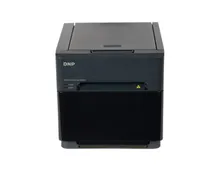
Pocketbooth vs Snap360App
The Pocketbooth app prints a vintage strip from a tablet on a stand. Snap360App records video from a phone on a spinning arm. Both turn a device into a photo booth and there the similarity ends, so choosing between them is really choosing a format and, with it, a very different invoice.
Pocketbooth vs Snap360App, Side by Side
From the App Store listings in August 2026. Note that Pocketbooth is two apps, not one: Pocketbooth Photo Booth and Pocketbooth Party, sold separately and with different terms.
| Snap360App | Pocketbooth | |
|---|---|---|
| Built for | 360 and video booths on a spinning platform | Vintage style photo strips from a handheld or mounted device |
| Platform | iPhone and iPad (iOS 15.6 or later) and Android | iPhone, iPad and Apple Silicon Macs. Party runs from iPadOS 12.4, Photo Booth from iOS 16 |
| Price | Free download, paid plans by week, month, quarter or year | Party: paid download, 19.99 pounds on the UK App Store, no in app purchases. Photo Booth: free with in app purchases |
| Publisher | Photobooth Premium | Party is published by Project Box. Photo Booth is currently listed under a different developer |
| Output | 360 video with music, effects and custom frames, AI frame generation | Photo strips with skins, filters and layouts, plus video, GIF and boomerang in Photo Booth |
| Printing | No print pipeline. Delivery is QR, AirDrop, email and messaging | Auto print over AirPrint as photos are taken, plus print ordering |
| Unattended use | Motion detection auto recording, Bluetooth remote | On screen countdown, Guided Access screen lock, Bluetooth remote |
| Branding | Custom frames and overlays on paid plans | Custom text on the booth skin and on the photos |
| Sharing | QR code, AirDrop, email, WhatsApp and Instagram, with cloud storage | Optional cloud hosted gallery, email, social and camera roll |
Is Pocketbooth Worth It, and Where Snap360App Wins
Paying Once
Pocketbooth Party is a one off purchase with the features included and no in app purchases, which is unusual in this category and worth saying plainly. For someone adding a simple strip booth to a bar, a shop counter or a family party, that is the cheapest honest answer on this page.
Prints on the Night
AirPrint auto printing is a real feature: photos come out as they are taken, with no laptop in the chain. It is not a dye sublimation workflow and the print quality and speed will not match a proper event printer, but it works and it costs nothing extra. Snap360App has no print path at all, by design, because a 360 clip is not something you print.
What a 360 Booth Needs
A spinning platform needs the recording to start at the right moment, survive a venue with no signal, and hand the guest a clip before they walk away. Snap360App does that with motion detection auto recording, offline capture and QR delivery. Pocketbooth has none of those, which is not a fault: it is a different product for a different machine.
Which Devices Run It
Pocketbooth is Apple only. Snap360App is on the App Store and Google Play, which matters when the device lives on a rotating arm and you want a spare in the crate that is not another iPad.
The Pocketbooth Alternative for a 360 Platform
If what you want is a tablet on a stand producing printed strips, Pocketbooth Party is a cheap and finished answer and there is no reason to overthink it. Buy it once, lock the screen with Guided Access, point an AirPrint printer at it and you have a working strip booth for a party.
If you are building a business around a 360 platform, that is a different machine and it needs different software. We fit Snap360App, written for spinning arms, running on iOS or Android, and on our platforms delivered already configured with your logo, your frame and your sharing screen, included with the booth rather than as a subscription you sort out separately.
To see what the 360 format actually is before you choose, read what a 360 photo booth is, the 360 app guide or the booths for sale range.
Frequently Asked Questions
Can Pocketbooth run a 360 photo booth?
No. Pocketbooth makes photo strips from a tablet or phone camera and prints them over AirPrint. There is no spinner trigger, no motion detection start and no 360 video pipeline, because that was never what it was built for.
How much is Pocketbooth pricing, and which app is it?
It depends which of the two apps you mean. Pocketbooth Party from Project Box is a paid download listed at 19.99 pounds on the UK App Store with no in app purchases. Pocketbooth Photo Booth is listed as a free download with in app purchases, and is currently published under a different developer name, so check the listing before you buy.
Is Pocketbooth good enough for paid events?
For a small self service strip booth on an iPad it does the job: eleven layouts, filters, auto print over AirPrint, a countdown, an online gallery and a Guided Access screen lock so guests cannot leave the app. What it does not give you is a tethered camera, a dye sublimation printer workflow or 360 video.
What is the difference between a strip booth and a 360 booth?
A strip booth photographs people who are standing still and hands them a print. A 360 booth records video of a camera orbiting them and hands them a clip on their phone. Different guest experience, different kit and different price on the invoice. Our format comparison covers where each one earns.
Which app runs the booths you build?
For 360 platforms, Snap360App, configured on the device before the machine ships. For print formats we set up the stack described on our software page, with the printer tested against the templates before it leaves.
Talk to a Photo Booth Specialist
Tell us about your project and we will recommend the right booth, printer and software setup, with transparent pricing, all prices plus VAT.
Get a Free Quote